
Twitter growth is not driven by luck, intuition, or posting more often. It is driven by feedback. Every tweet you publish generates behavioral data, and Twitter’s analytics system exists to show you how the algorithm and real users are responding to that behavior.
Most accounts misuse Twitter Analytics by looking only at surface numbers like likes or follower growth. That leads to wrong decisions. Real optimization happens when you understand why certain tweets perform, where engagement breaks down, and how to adjust content, timing, and distribution to improve future reach.
This article explains how to use Twitter Analytics correctly to optimize engagement, identify distribution bottlenecks, and align your content with how Twitter’s algorithm evaluates performance in 2026.
What Twitter Analytics Actually Measures (And What It Doesn’t)?
Twitter Analytics is often misunderstood because it does not evaluate how good your content is in a human sense. It evaluates how users behave after your content is shown. The system is not judging creativity, originality, or authority directly. It is recording observable actions and using those actions as training data for future distribution decisions.
At its core, Twitter Analytics tracks three behavioral layers. First is exposure: who saw your tweet, where it appeared, and how often it was shown. Second is interaction: whether users paused, clicked, replied, retweeted, quoted, or ignored the tweet. Third is retention behavior: whether those same users engaged with your content again later, visited your profile, or interacted with future tweets. These signals tell Twitter whether your account reliably produces attention and repeat interest.
What Twitter Analytics does not measure is just as important. It does not score content quality, creativity, authority, or intent as standalone factors. A tweet can be insightful, well-written, or technically correct and still perform poorly if users scroll past it. Conversely, a simple or imperfect tweet can outperform “high-quality” content if it triggers replies, reading time, or follow-up engagement. Twitter infers value indirectly, through patterns of behavior over time, not through subjective judgment.
This distinction is critical because many creators optimize for appearances instead of outcomes. They chase likes, polished wording, or impressive-looking metrics, assuming these signal success. In reality, Twitter’s system learns from consistency, depth of interaction, and repeat engagement patterns. Optimizing for what looks good often weakens the behavioral signals that actually drive reach.
The Core Engagement Metrics That Actually Matter
Not all metrics are equal. Some are inputs, some are outputs, and some are diagnostic.
Impressions (Distribution Health)
Impressions tell you how often Twitter is willing to test your content.
What impressions reveal:
- Whether the algorithm trusts your account
- Whether previous tweets passed expansion thresholds
- Whether your audience is responsive enough to justify testing
A declining impression trend is rarely a punishment. It usually means:
- Weak early engagement
- Inconsistent topical signals
- Poor audience alignment
Impressions are the first signal to watch, not the last.
Engagement Rate (Signal Density)
Engagement rate shows how users behaved after seeing your tweet.
This metric is more important than total engagement because it normalizes performance relative to exposure.
Healthy engagement rates indicate:
- Strong hook relevance
- Audience-topic alignment
- Proper timing
Low engagement rates mean the algorithm tested your tweet — and users rejected it.
Replies (Conversation Strength)
Replies are the strongest public engagement signal.
They indicate:
- Cognitive effort
- Emotional response
- Intent to participate
From an algorithmic perspective, replies tell Twitter:
“This tweet created a conversation, not just a reaction.”
Tweets with replies are more likely to be:
- Re-tested
- Shown in conversations
- Recommended beyond followers
If replies are consistently low, Twitter Analytics is warning you that your content is not participatory.
Profile Clicks (Interest Transfer)
Profile clicks are a bridge signal.
They show that:
- The tweet generated curiosity
- Users want more context
- The account itself is part of the value
High impressions + low profile clicks = shallow interest
Moderate impressions + high profile clicks = strong positioning
This metric is critical for follower growth and long-term engagement loops.
How to Diagnose Weak Engagement Using Analytics?

Optimization starts with diagnosis, not posting more.
Most accounts respond to weak performance by tweeting more often. That usually makes the problem worse. Twitter Analytics exists to show where the breakdown happens before you change what you publish.
Step 1: Compare Impressions vs Engagement
Start by separating distribution problems from content problems.
Key patterns to watch:
High impressions, low engagement
This means Twitter gave your tweet exposure, but users did not react.
The issue is not reach — it is relevance, framing, or hook strength.
Common causes include weak first lines, no reason to reply, or content that feels complete instead of interactive.
Low impressions, high engagement
This is one of the most important signals.
It means the content works when people see it, but Twitter is not expanding distribution.
This usually points to account-level trust, topical clarity issues, or weak early exposure — not content quality.
Low impressions, low engagement
This indicates a deeper structural issue.
Twitter is not testing your content widely, and users who do see it are not responding.
Common causes include inconsistent topics, inactive followers, or long-term weak signals that reduced testing frequency.
Twitter Analytics lets you identify which stage of the funnel is failing instead of guessing.
Step 2: Identify Early Signal Drop-Off
Twitter does not evaluate tweets evenly over time.
Early behavior carries disproportionate weight.
Open individual tweet analytics and focus on:
- Engagement in the first 15–60 minutes
- Timing of the first replies
- Profile clicks and link clicks early, not total counts
If engagement happens late, it usually does not change distribution.
A tweet that performs well after several hours often failed its initial testing window.
Patterns to watch:
- Tweets that eventually get likes but no early replies
- Tweets with delayed engagement spikes
- Tweets that perform only after manual resharing
These tweets may look successful, but the algorithm already deprioritized them.
Analytics helps you see which tweets fail fast — and which ones pass early tests.
Step 3: Segment by Content Type
Most accounts underperform because they treat all tweets as equal.
Analytics shows they are not.
Group your tweets into clear categories, such as:
- Educational threads
- Opinion or contrarian takes
- Direct questions
- Announcements or updates
- Quotes or observations
Then compare across formats:
- Engagement rate per impression
- Replies per impression
- Profile clicks per tweet
What usually becomes obvious:
- Only one or two formats consistently trigger replies
- Some formats get impressions but no interaction
- Others drive clicks but no conversation
These patterns repeat over time. They are not random.
The goal is not to tweet more formats — it is to double down on the formats that produce early behavioral signals.
Most “content variety” is just performance noise.
Using Analytics to Optimize Tweet Structure
Twitter Analytics doesn’t tell you what to write — but it shows you what worked.
Hooks and First-Line Performance
Tweets with strong hooks show:
- Higher engagement rate
- Longer reading time
- More replies per impression
Weak hooks die silently.
Analytics lets you reverse-engineer:
- Which opening lines stop scrolls
- Which formats trigger interaction
- Which tones create replies vs likes
Replies vs Likes Tradeoff
Analytics often reveals a counterintuitive truth:
Tweets with fewer likes but more replies outperform “popular-looking” tweets.
This is because:
- Replies extend lifespan
- Conversations trigger re-testing
- Engagement depth beats engagement volume
If you optimize for likes, Analytics will show stagnation.
If you optimize for replies, Analytics will show compounding reach.
Timing Optimization Through Analytics
There is no universal best posting time — but analytics exposes your best windows.
Look for patterns in:
- Engagement rate by hour
- Reply speed by time slot
- Profile clicks per impression
The best timing is when:
- Your audience is active
- They are mentally aligned with your topic
- Competing noise is lower
Analytics turns timing from guesswork into pattern recognition.
Audience Alignment and Topic Consistency
Twitter Analytics indirectly reveals whether your audience understands what you’re about.
Warning signs:
- Engagement drops when you switch topics
- Replies disappear on off-niche tweets
- Profile clicks spike only on certain themes
Strong accounts show:
- Consistent engagement across related topics
- Stable impressions over time
- Predictable response patterns
Analytics rewards topical clarity.
Distribution Bottlenecks Analytics Can Reveal
Many accounts blame content when the real problem is distribution.
Analytics exposes:
- Whether tweets are tested outside followers
- Whether engagement thresholds are being met
- Whether expansion stalls early or late
If impressions plateau at the same level repeatedly, Twitter has learned your ceiling — and stopped pushing further.
How to Use Twitter Analytics Weekly (Checklist)?
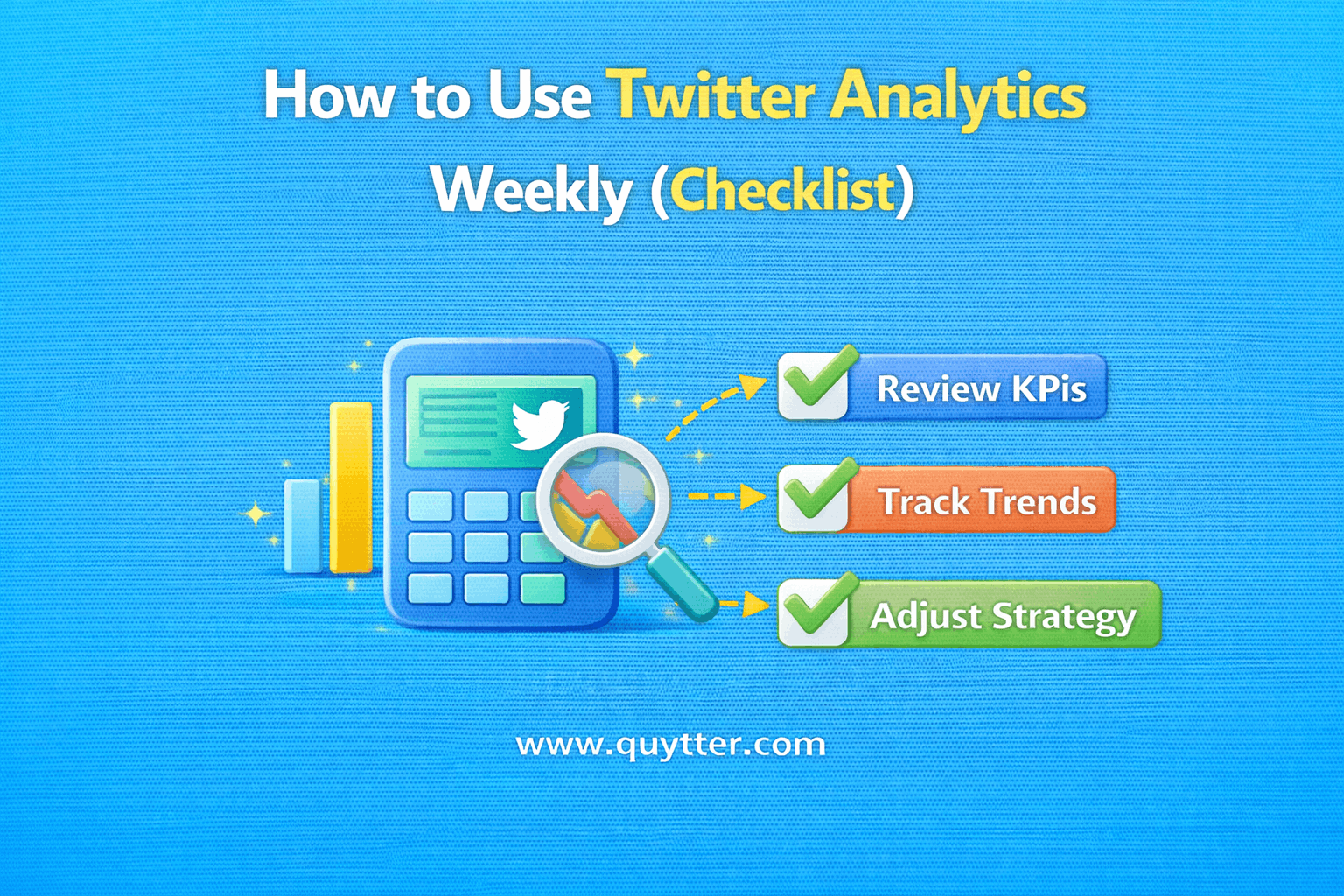
A weekly analytics routine should be short, repeatable, and focused on behavior—not vanity metrics.
Weekly workflow:
- Review overall impression trend
Look at week-over-week impressions to understand whether distribution is expanding, flat, or shrinking. This tells you if Twitter is testing your content more or less often. - Identify the top 10% of tweets by engagement rate
Ignore total likes. Focus on engagement per impression. These tweets show what the algorithm is rewarding right now. - Identify the bottom 10% and analyze the hook
Look at first lines, framing, and topic choice. Weak hooks usually explain early signal failure. - Track replies per tweet (not likes)
Replies indicate conversational depth. A rising reply-to-impression ratio is a strong health signal. - Check timing and posting context
Note when high-performing tweets were posted and what was happening in your niche at that moment. Timing patterns often repeat. - Review profile clicks per impression
This shows whether tweets are generating curiosity beyond surface interaction. - Group performance by content format
Compare formats (threads, questions, opinions, announcements). Keep formats that consistently earn signals. Pause or remove the rest. - Remove or reduce underperforming formats
Twitter learns from repetition. Continuing weak formats trains the algorithm in the wrong direction.
Key rule:
Do not change everything at once. Adjust one variable per week so the algorithm can relearn cleanly.
Optimization is iterative, not reactive.
How Quytter Supports Analytics-Driven Growth?
Quytter is built to complement Twitter Analytics, not distort it. Most growth services break analytics by injecting artificial signals that look good on the surface but teach the algorithm nothing useful. Quytter takes the opposite approach: it improves exposure while preserving signal integrity.
Instead of inflating vanity metrics, Quytter focuses on three fundamentals that analytics actually responds to.
Real Twitter views for discovery
Quytter increases the number of real users who see your tweets. This matters because analytics can only measure behavior after exposure. If a tweet is never seen, there is nothing to analyze. By improving discovery without forcing interaction, Quytter ensures impressions reflect real reach, not recycled traffic.
Gradual engagement exposure
Engagement is not pushed in bulk or synchronized patterns. Exposure scales gradually, allowing Twitter to observe how different users respond over time. This preserves natural variation in replies, clicks, and follow behavior—exactly what Twitter Analytics is designed to track.
Natural pacing aligned with algorithm expectations
Delivery is paced to match how Twitter tests content. No spikes. No artificial bursts. This keeps impression curves, engagement timing, and reply distribution clean and interpretable inside analytics dashboards.
Because Quytter does not force likes, replies, or follows, downstream behavior remains user-driven. That is critical. When users choose to engage:
- Engagement rates reflect real interest
- Replies indicate genuine conversation potential
- Profile clicks signal retention and curiosity
As a result, Twitter Analytics shows true performance, not inflated noise.
Quytter does not replace analytics.
It removes the biggest analytics killer: invisible content.
By ensuring real users actually see your tweets, Quytter gives Twitter Analytics something meaningful to measure—and gives you data you can trust when optimizing content, timing, and format.
Common Analytics Mistakes That Kill Optimization
One of the biggest mistakes is optimizing for likes instead of replies. Likes are easy signals, but they don’t show whether a tweet created real interaction. Replies indicate thinking, disagreement, or curiosity — the behaviors Twitter actually uses to decide whether content deserves further distribution.
Another common error is ignoring impression trends. Many people look only at engagement totals without asking who actually saw the tweet. If impressions are declining, improving hooks or writing better content won’t help because the problem is distribution, not creativity.
Chasing viral spikes is another trap. A single high-performing tweet often leads to emotional overreaction: changing style, timing, or topics to recreate a moment instead of reinforcing what works consistently. This breaks pattern recognition for the algorithm and weakens long-term performance.
Comparing your analytics to unrelated accounts also distorts decisions. Different niches, audience maturity levels, and posting contexts produce very different benchmarks. Optimization only works when comparisons are internal and trend-based, not ego-based.
Finally, reacting emotionally to single tweets kills learning. Analytics is not about judging individual posts — it’s about identifying repeated behaviors that either earn or lose attention. When decisions are made tweet by tweet, optimization turns into noise.
Analytics works when you look for patterns over time, not validation in moments.
Conclusion
Twitter Analytics is not a reporting tool. It is a decision system.
Used correctly, it shows you:
What the algorithm is learning
Where engagement breaks down
How to adjust content, timing, and distribution
Accounts that grow do not post blindly. They observe, interpret, and refine their approach over time.
When analytics guides strategy and real exposure supports it, engagement stops being random and starts compounding. This data driven approach is a core part of any effective Twitter growth strategy that focuses on long term visibility and engagement.
On Twitter, growth belongs to accounts that understand behavior, not appearance.